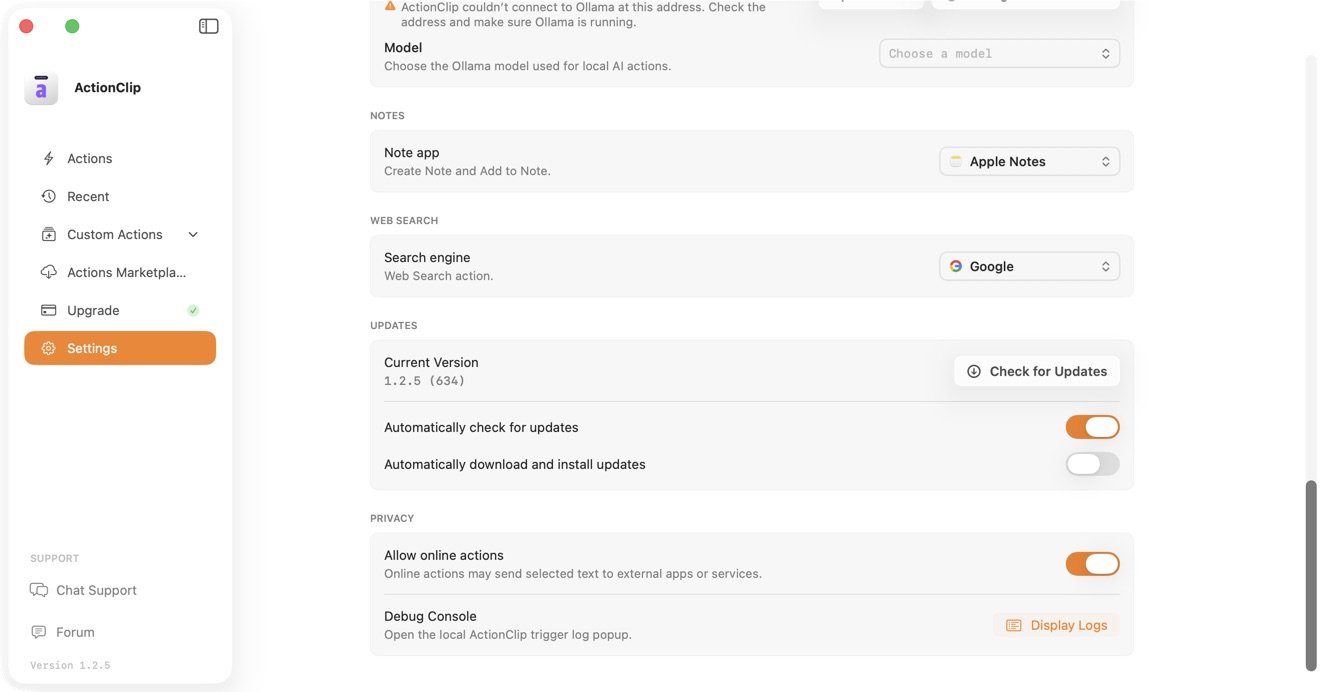
ActionClip is local-first. Selected text leaves your Mac only when you deliberately run an online action or choose an external destination that needs the text.
Examples that stay local
- Copy, Paste, formatting, case changes, counts, and unit conversions
- Screenshot OCR with Apple Vision
- Apple Intelligence AI actions
- Ollama Local on a loopback server
- Apple Notes, Apple Calendar, and Apple Contacts integrations
- Opening selected text in Refine's Floating Editor
Screenshot OCR analyzes the chosen region in memory and does not save the captured image.
Examples that use an external destination
- External AI providers, including Ollama Cloud
- Web Search and browser-based Open Link behavior
- Google Calendar, Google Maps, and Google Contacts
- Online translation routes when used
- Custom actions you configure to call a URL or remote service
Control online actions
- Open ActionClip → Settings.
- Find Privacy and use Allow online actions to permit or block actions that may send selected text to external apps or services.
- Review an action's guide and settings before enabling it.
ActionClip does not silently switch an AI action from a local source to an external provider.
Pause ActionClip in specific places
Use Paused Apps, Processes & Websites in Settings to exclude an app, executable process, or website. These rules stop ActionClip from appearing in the listed context without changing your actions elsewhere.
Optional iCloud Sync is configuration sync
Eligible multi-Mac plans can transfer selected settings through your private iCloud database. Sync does not include selected text, clipboard contents, prompts, outputs, or recent history.
Credentials
- Provider API keys are stored in the system Keychain.
- Optional key sync is separately controlled, off by default, and encrypted before upload.
- ChatGPT accounts stay on the Mac where you connect them.
Read the complete ActionClip Privacy Policy.
Say and online Edge voices
In 2.3.0, Edge speech defaults on for new installs and once on upgrade, while later opt-outs remain saved. When you run Say with online speech enabled, spoken text goes directly to Microsoft. Allow online actions is still required. Turn Edge voices off to use local speech. Translate and OCR playback remain local. Speech settings and privacy.