
What Convert Time does
The parser understands time-zone abbreviations, GMT/UTC offsets, IANA identifiers, and familiar city or region names. The System target follows your Mac automatically.
How to use it
- Select a time with a source zone, such as 3:30 PM PST.
- Choose Convert Time or use its leading conversion chip.
- Review the equivalent time in your configured target zone.
Example
3:30 PM PST
5:00 AM IST (next day)
Settings
Open the action's settings from:
ActionClip Settings → Actions → Auto Suggestions → Time Zone Conversion → gear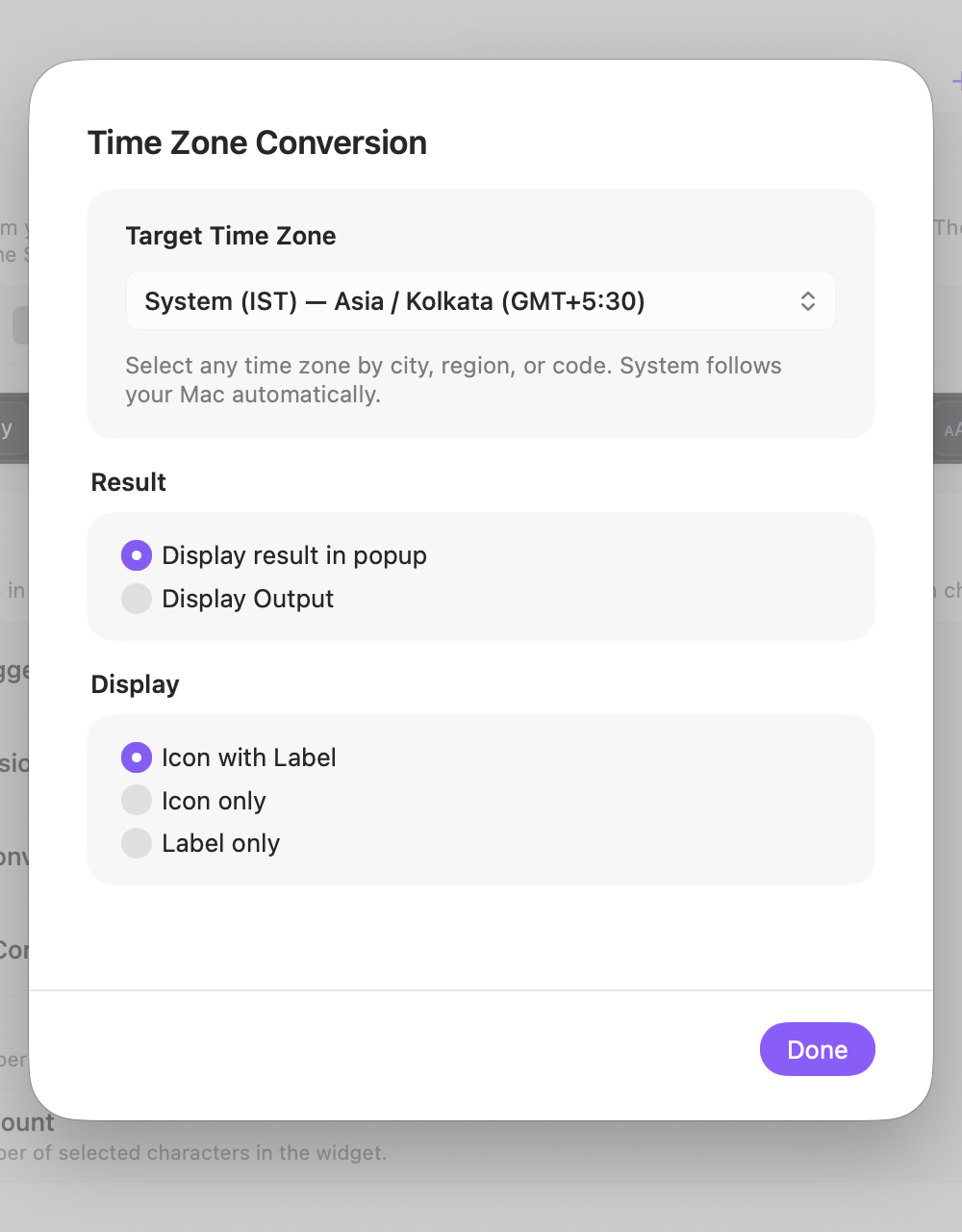
Target Time Zone
Use the Mac system time zone or search any available zone by city, region, or code.
Result
Choose whether the conversion opens in the result popup or uses the action's display-output behavior.
Display
Choose how this action appears in the floating widget. This changes only its presentation, not what it does.
Changes are saved automatically.
You can also replace this action's icon from ActionClip → Actions. See change an action icon.
When ActionClip suggests it
The leading Convert Time suggestion appears when ActionClip detects a supported time and source-zone expression.
Enabled actions remain available in your Actions list even when Smart Suggestions do not promote them for the current selection.
Requirements and privacy
- Works locally and does not require Online Actions.
- Daylight-saving offsets are resolved for the interpreted date.
- A source zone is needed when the selected time is not meant to be local.