
What Write Formally does
The built-in prompt asks for one direct rewrite and preserves names, URLs, numbers, dates, and line breaks where possible.
Compare ActionClip AI sources and providers.
How to use it
- Select the text you want to use in any supported Mac app.
- Choose Write Formally from the ActionClip widget or its More menu.
- Review the result, or continue in the destination app when the action opens one.
Example
hey, can you send this over when you get a chance?
Could you please send this when you have an opportunity?
Settings
Open the action's settings from:
ActionClip Settings → Actions → Write Formally → gear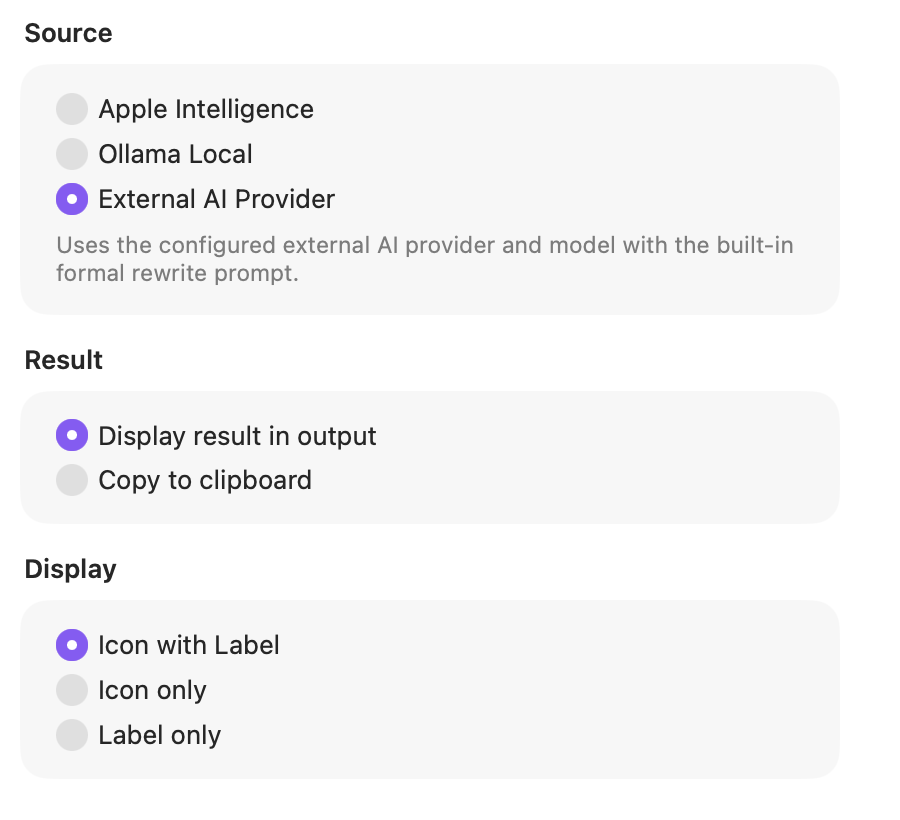
Source
Choose the engine for this action. Apple Intelligence and Ollama Local keep the request on your Mac; External AI Provider uses the provider and model configured in Settings.
Result
Show the generated text in ActionClip so you can review it, or copy it directly to the clipboard.
Display
Choose how this action appears in the floating widget. This changes only its presentation, not what it does.
Changes are saved automatically.
You can also replace this action's icon from ActionClip → Actions. See change an action icon.
When ActionClip suggests it
Write Formally is promoted for editable or read-only selections with at least six words when the selected AI source is available.
Enabled actions remain available in your Actions list even when Smart Suggestions do not promote them for the current selection.
Requirements and privacy
- Apple Intelligence and Ollama Local keep the request on your Mac.
- External AI Provider requires Online Actions and uses the configured provider/model or the available no-key trial.
- The selected source is exclusive; ActionClip does not silently fall back to another source.