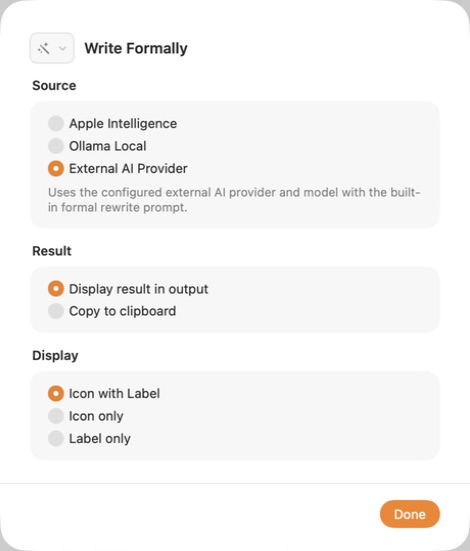
Write Formally, Fix Grammar, and Summarize each use one AI source you choose. ActionClip never silently falls back to a different source.
Built-in AI actions
- Write Formally produces a more professional rewrite.
- Fix Grammar corrects grammar and spelling while preserving meaning.
- Summarize turns longer text into concise bullet points.
Compare the sources
| Source | Where it runs | Best when |
|---|---|---|
| Apple Intelligence | On your compatible Mac | You want Apple's on-device model and no provider account. |
| Ollama Local | Your local loopback Ollama server | You want to choose a downloaded local model. |
| External AI Provider | The provider you configure | You want OpenAI, Gemini, Claude, OpenRouter, Perplexity, or Ollama Cloud. |
Choose a source for an action
- Open ActionClip → Actions.
- Open the gear menu for Write Formally, Fix Grammar, or Summarize.
- Under Source, choose Apple Intelligence, Ollama Local, or External AI Provider.
- Choose whether to display the result or copy it to the clipboard.
Know the privacy boundary
- Apple Intelligence and a localhost Ollama server keep the request on your Mac.
- External AI sends selected text to the configured provider only when you run the action.
- External AI requires Allow online actions in the Privacy section of Settings.
- ActionClip does not include recent history or unrelated clipboard content in the request.